Manage members in Microsoft Teams
Microsoft Teams features a user-friendly dashboard that’s easy to navigate.
Once a team is created, educators can:
- Add members
- Modify a member’s role
- Delete members from a team
Add a member
To add a member:
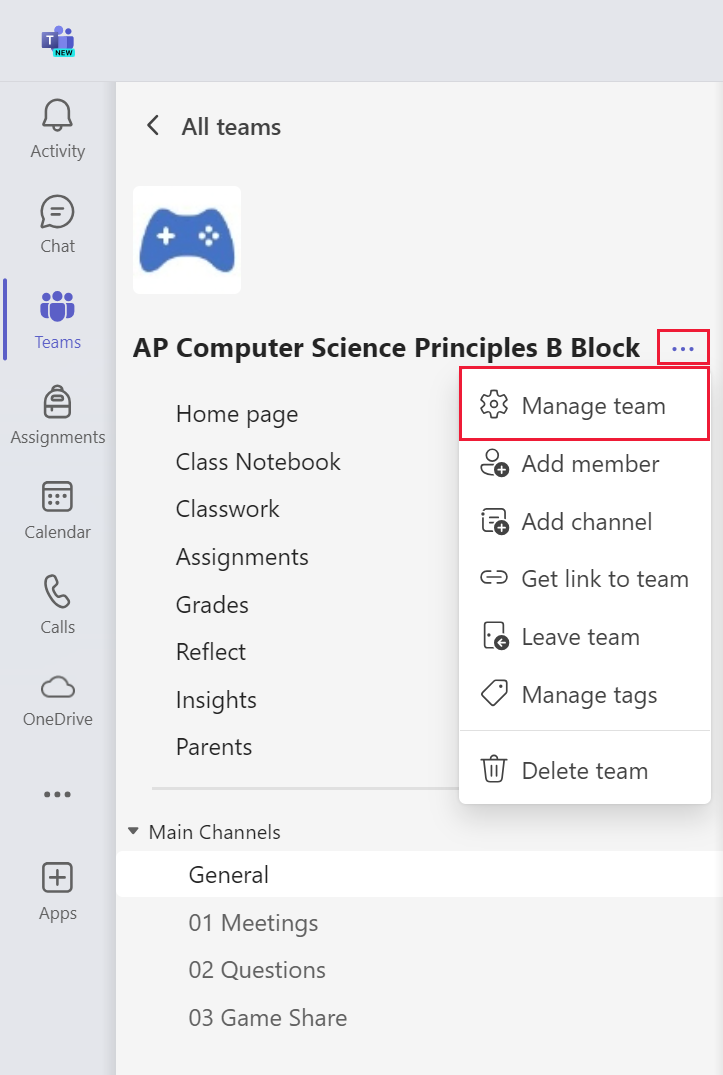
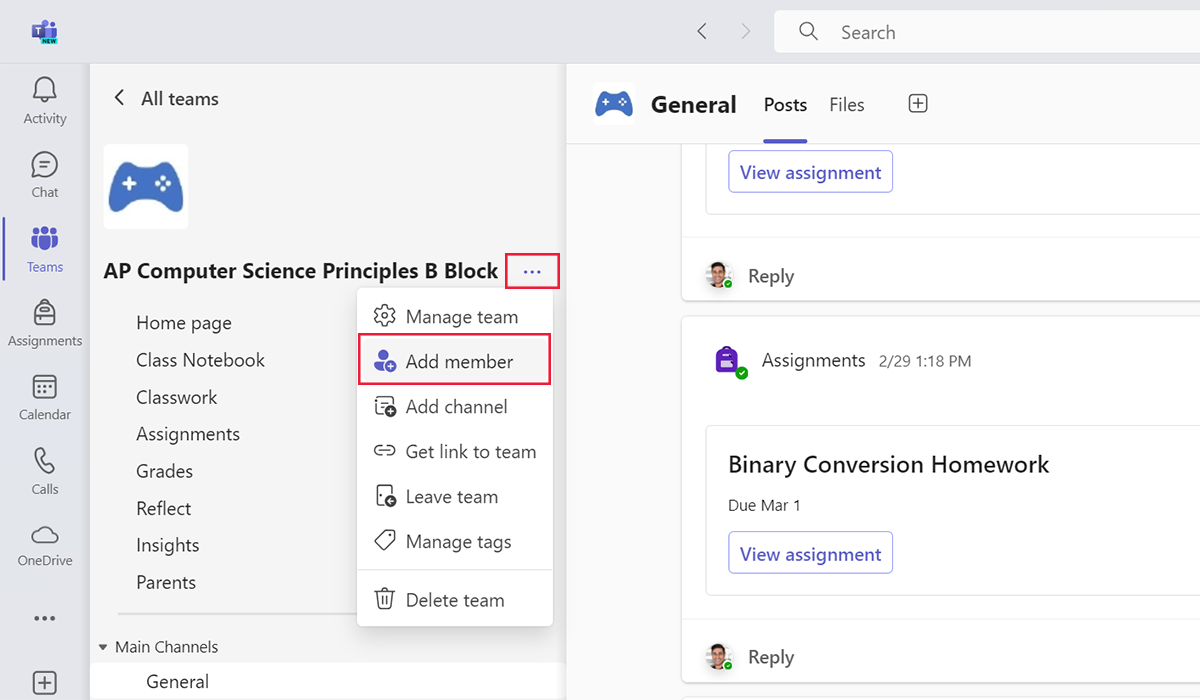
- Select the three dots by the name of the team.
- Select Add member.
- Enter the person’s name.
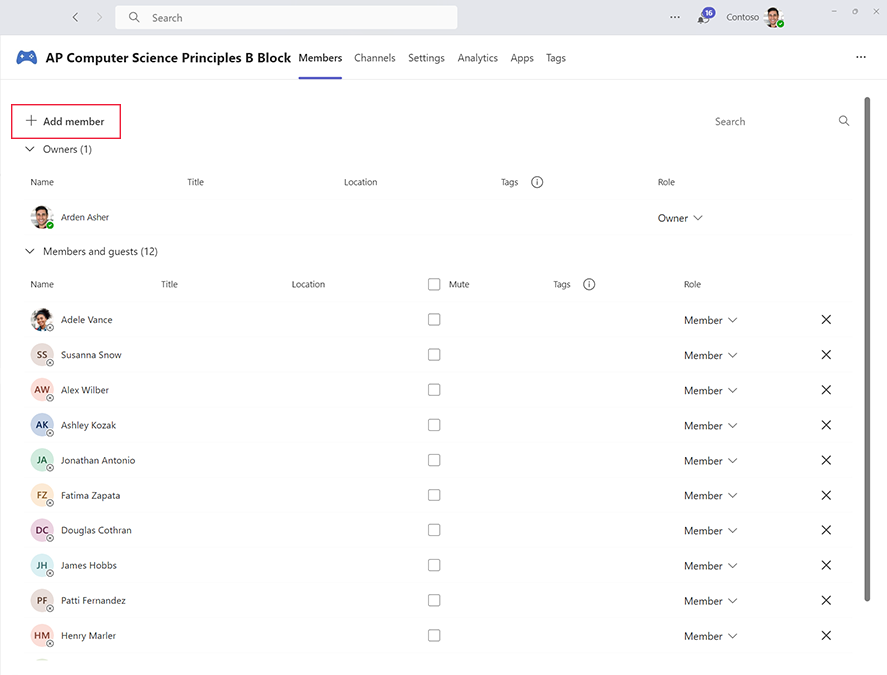
In the Manage team section, owners can also add new members by selecting the + Add member button.
Change a member’s role
To change a member’s role:
- Select the three dots by the name of the team.
- Select Manage Team.